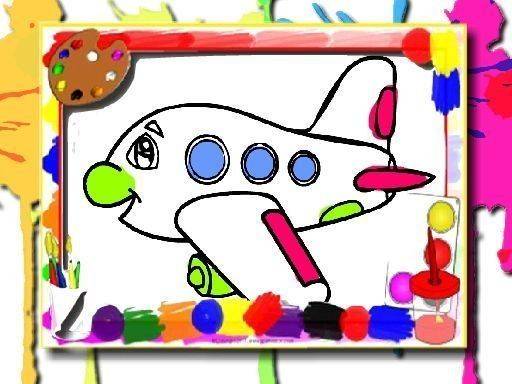
Skyward Coloring Studio delivers a focused digital coloring experience built around aircraft outlines. Its segmented sections make precise color application easy, while adjustable brushes, undo, and eraser tools reduce frustration. The absence of timers or performance metrics keeps sessions relaxed. Saving to a device supports personal galleries and offline use. The minimal interface suits children and adults, though anyone seeking complex art tools or multiplayer features will find the scope limited.
Skyward Coloring Studio centers on a rotating collection of aircraft silhouettes. The selection includes vintage propeller-driven models and modern jets, giving each session a distinct visual subject. Every outline is divided into separate sections, so colors can be applied precisely without bleeding into neighboring areas. This segmentation matters because it lets users build realistic liveries or experiment with whimsical patterns while keeping the aircraft recognizable.
The on-screen palette spans subtle pastels to vibrant primaries. Adjustable brush sizes let users switch between a narrow tip for cockpit windows or wing details and a wider brush for filling large fuselage sections quickly. An undo function and an eraser provide correction options without disrupting the creative flow. These controls support both mouse and touch input, so the same experience carries across desktop and mobile devices. There are no countdowns or performance metrics, which keeps the focus on color choice rather than speed.
Completed images can be saved directly to the device’s storage. That allows sharing through social media or messaging apps, or keeping a personal gallery of finished pieces. Saved files also let users return to earlier work and compare progress over time. The coloring process does not require an internet connection, making it usable during long flights or in remote areas where connectivity is limited.
The interface uses large buttons and clear labels, so navigation is straightforward for young children and adults alike. No reading is required to begin: tapping an outline and then a color starts the activity immediately. This low barrier means first-time users can produce satisfying results within minutes. The absence of ads or in-app purchases during the coloring session supports a distraction-free environment consistent with family-friendly expectations.
Sign in to comment
You must be logged in before posting a review or rating.
No comments yet. Be the first to comment!





Editorial Notes