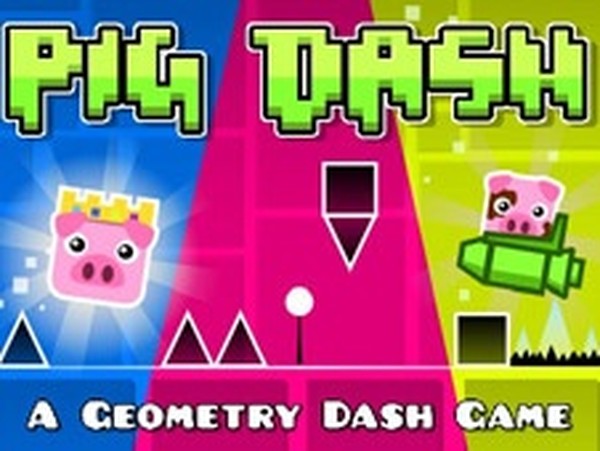
Polygon Pig Jump Quest offers a satisfying blend of rhythm-based jumping and creative level design. The simple tap-to-jump controls are easy to learn, but mastering the timing for each obstacle pattern takes genuine practice. The four difficulty levels provide a clear progression, and the built-in level editor adds significant replay value for those who enjoy designing their own challenges. The cheerful geometric art style and pig theme keep the experience lighthearted, making it a great pick for short gaming sessions on mobile.
At its heart, this game revolves around a single tap to make the pig-shaped character leap. Success depends on timing each jump precisely to land safely on rectangular platforms while avoiding triangular obstacles that end the run. The challenge increases as obstacles appear more frequently and move faster. Some blocks require careful judgment, as landing on them directly may cause failure. This simple control scheme keeps the focus on rhythm and reflexes rather than complex inputs.
The game adopts a clean geometric aesthetic, with everything from the pig character to the obstacles built from basic shapes. Bright colors and a playful pig theme give the experience a lighthearted feel. The visual design is intentionally minimal, helping players focus on the timing and spacing of jumps. This style also makes the game suitable for short play sessions on mobile or tablet devices.
Four difficulty levels provide a clear progression path. Early stages introduce basic patterns and slower speeds, allowing players to build muscle memory. Later levels increase the complexity of obstacle arrangements and the speed at which they appear. This gradual ramp-up ensures that newcomers can learn the fundamentals while experienced players find satisfying challenges. The rhythm-based nature of the game means that practice directly translates to improved performance.
A built-in level editor lets players design their own courses by placing geometric shapes on a grid. This tool encourages experimentation with obstacle placement and platform spacing. Players can save custom courses and share them, adding replay value beyond the pre-built levels. The editor is intuitive enough for casual users but offers enough flexibility to create genuinely tricky courses.
Scattered throughout levels are glowing orbs that act as trampolines, giving the pig an extra boost to clear longer gaps. Using these effectively is key to mastering harder stages. Additionally, multiple pig skins allow players to change the character's appearance. These customization options add a layer of personal expression without affecting gameplay mechanics.
Focus on the rhythm of the music or visual cues to anticipate jump timing. Practice each level repeatedly to internalize obstacle patterns. Use trampoline orbs strategically to gain extra height when facing wide gaps. Starting with easier levels helps build confidence and muscle memory before tackling harder ones. When using the level editor, experiment with different obstacle placements to understand how spacing affects difficulty. Staying calm and maintaining a steady rhythm will lead to consistent improvement.





Player Reviews
Sign in to comment
You must be logged in before posting a review or rating.
No account? Create one
No comments yet. Be the first to comment!